

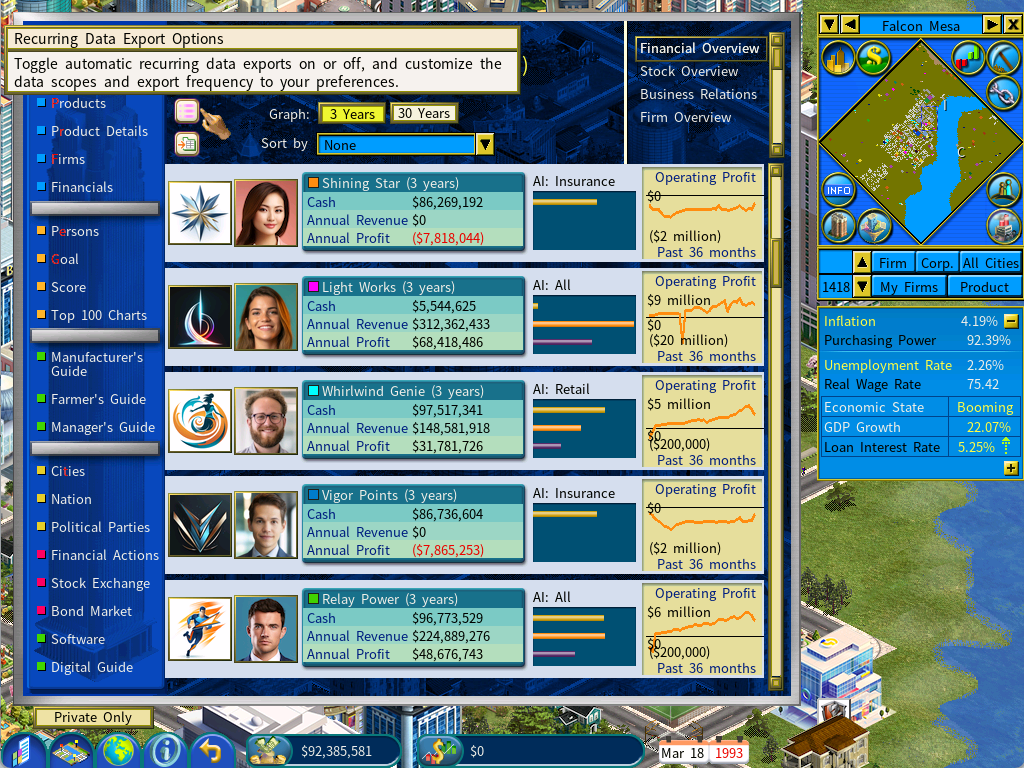
A new Recurring Data Export menu is now available directly from the Information Center, allowing you to set:
- Which companies to include (scope)
- How often the data should be exported (frequency)
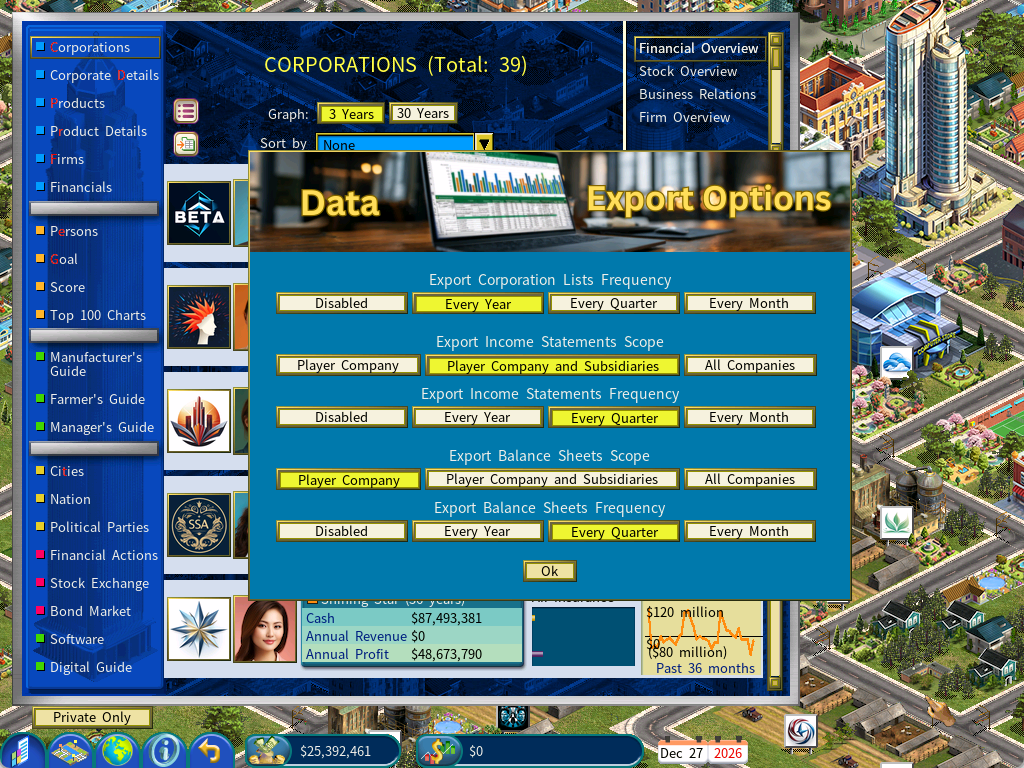
For example:
- Automatically export the financial summary of all companies once per year
- Export income statements and balance sheets for your company and all subsidiaries every quarter
Organized Export Folders for Every Game:
Each save game now has its own dedicated export directory:
<CapLab game data>\Export<Game Unique ID>
This ensures clean separation between different playthroughs, scenarios, or experiments.
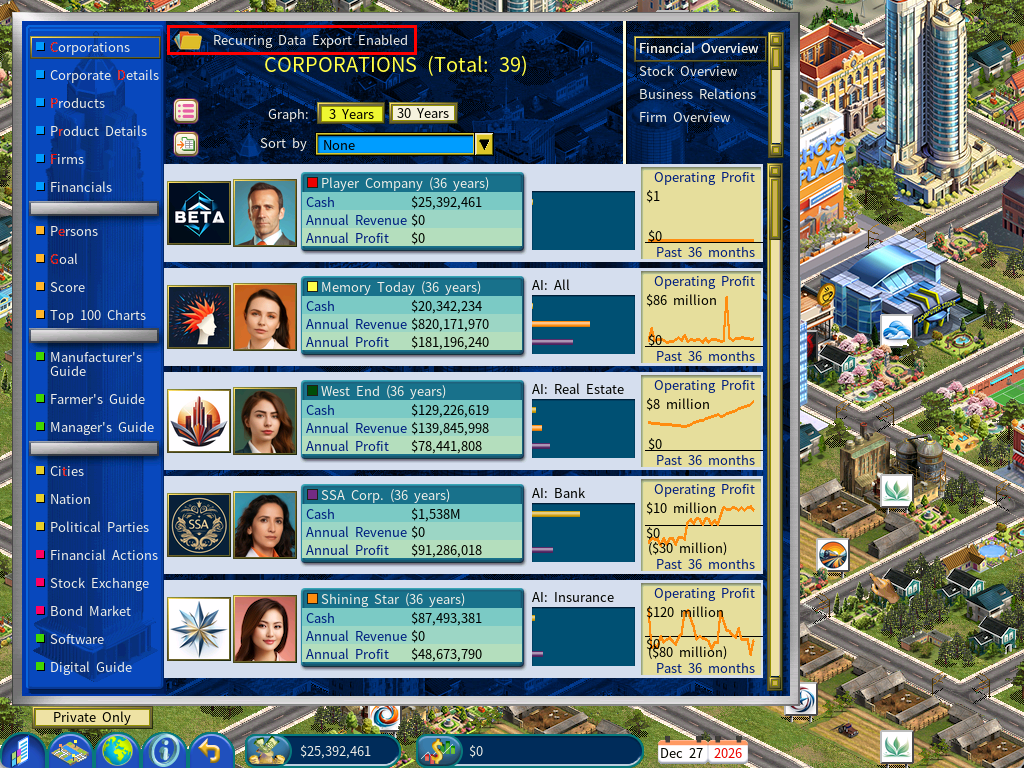
You can instantly open the correct folder by clicking the Open Folder icon in the top‑left corner of the Corporations report.
Using a Script:
If you prefer to set recurring data export options via a script, you can configure them using the following script commands:
[BANKING AND FINANCE DLC]
Export Income Statement Scope=<Player Company | Player Company and Subsidiaries | All Companies>
Export Income Statement Frequency=<Every Year | Every Quarter | Every Month>
Export Balance Sheet Scope=<Player Company | Player Company and Subsidiaries | All Companies>
Export Balance Sheet Frequency=<Every Year | Every Quarter | Every Month>
Export Corporation List Frequency=<Every Year | Every Quarter | Every Month>
Example:
[BANKING AND FINANCE DLC]
Export Income Statement Scope=Player Company and Subsidiaries
Export Income Statement Frequency=Every Quarter
Export Balance Sheet Scope=All Companies
Export Balance Sheet Frequency=Every Year
Export Corporation List Frequency=Every Month
These new Data Export Improvements upgrade Capitalism Lab into an even more powerful simulation platform. Whether you're a data enthusiast or a player who simply wants deeper insight into your empire, these new features deliver greater flexibility and precision.
For more information, please check out: https://www.capitalismlab.com/data-export/